


My Fiction: Stories & Novels
3.43.48K Reviews
App Specs
- Version
- 3.2.62
- Updated On
- License
- Free
- Downloads
- 1,000,000+
- Developer
- Maple House
- Categories
- Books & Reference
- Platform
- Android, iOS
Screenshots
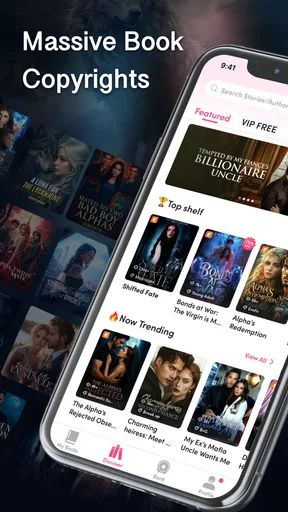

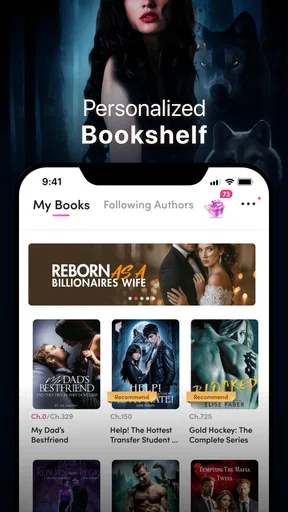
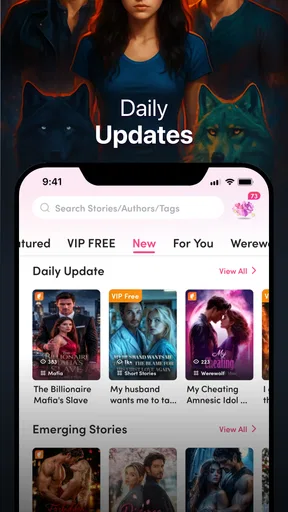
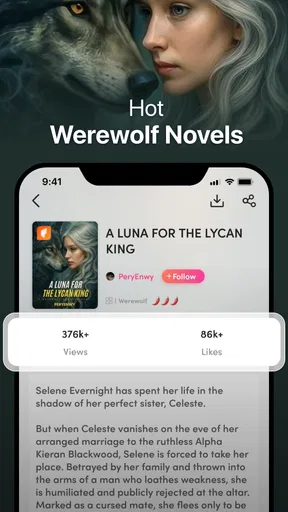

 Analysis by AppCompare
I would approach My Fiction: Stories & Novels as a mobile reading app for people who like discovering serial stories and following a plot in short stretches, rather than as a replacement for every kind of book. Its mix of genres and interactive storytelling gives a first-time reader more than one way to find a story that holds attention. The useful question is whether that format suits your habits: if you enjoy returning to a tale and seeing where its choices lead, it is worth exploring; if you mainly want a quiet, complete novel with no participation or extra spending, you may prefer a conventional ebook reader.
What the app is best suited to
Maple House makes this free Books & Reference app for Android, and it has an average rating of 3.6 from around 23,000 ratings. That gives me a more grounded expectation than calling it a flawless reading experience: plenty of people have tried it, but the rating suggests it will not suit everyone equally. The app has more than a million installs, and it is rated Mature 17+, a detail worth checking before setting it up for a younger reader.
The core appeal is easy to understand. You can browse across genres, settle into a story, and sometimes make decisions that change how the plot develops. That makes the experience closer to an ongoing, personal reading pastime than simply opening a digital copy of a print book. I would try it if I like romance, suspense, fantasy, or other fiction and want something I can pick up during a break without planning a whole evening around it.
It is less compelling for readers who judge an app mainly by a large catalogue of familiar published titles, careful library management, or a one-time purchase model. My Fiction has in-app purchases, with items priced from 49 cents to $199.99, so I would treat the free download as a chance to explore, not assume that every part of the reading experience will stay free. Before committing to a long story, I would look at any purchase prompts and decide what I am comfortable spending.
From installation to a first good read
The app runs on Android 7.0 or later, and the current version is 3.2.52. Once it is installed, I would keep the first session simple: open the genre selection, choose a subject I already enjoy, and sample a story before spending time browsing everything. That small step makes it easier to tell whether the writing style and chapter rhythm work for me, instead of mistaking a broad catalogue for a guarantee that every title will be a match.
Personalized recommendations can help widen that first choice. In my experience, the best way to use suggestions is as a discovery tool, not as a verdict on what I should read. If a recommendation looks interesting, I would give it a short trial; if it misses, I would return to a genre I know. That balance lets the app introduce unfamiliar territory without making reading feel like an obligation to follow an algorithm.
A realistic first success might be finding a story during a lunch break, reading a few sections, and returning to it later when there is another quiet moment. The automatic bookmark is helpful here because it removes the small but irritating task of remembering a page or chapter. If I expect to read somewhere with unreliable Wi-Fi, I would download a story beforehand using the offline option, then check that it is available before leaving. That is a more dependable routine than waiting until a commute begins to work out what can be read without a connection.
Worth Reading Before You Choose

EA SPORTS FC Mobile 26 Is a Bigger Football Game, but It Takes Time

Flipboard Shows What News Apps Must Do Beyond the Feed

Switching to Android Auto Means Rethinking Your Driving Routine

Google Calendar Makes a Crowded Week Easier to Manage

Ludo King Makes the Most of the Minutes Between Plans

Baby Panda World Brings Quick Play to Modern Phones, but Its Game Library Feels Busy
Choices, community, and the reading rhythm
Interactive stories are the feature that most clearly separates this app from a standard ebook library. A choice can make me pause and consider what kind of outcome I want, which is part of the fun; it also means the story may not feel like a single fixed route. I would resist tapping quickly just to get through a scene. Taking a moment to think about a decision makes the participation feel more meaningful, especially if I later want to explore another path.
There is a trade-off: readers who prefer an author’s uninterrupted sequence of events may find branching decisions distracting. A choice-driven story can make a short reading session lively, but it is not the same as turning pages in a novel where the writer controls every turn. If I want to relax without making decisions, I would choose a less interactive title or use another reading app built around conventional books.
The reader conversations can add a social layer, particularly when a story leaves room for theories or debate. I would use that feature after reading a section rather than before it; seeing other readers’ reactions too early can colour my own impression of a twist. For someone who enjoys talking through characters and plot developments, the community may make an ongoing series feel more shared. If I prefer reading privately, it is easy to focus on the story itself instead of treating discussion as part of the job.
Comfort and practical trade-offs
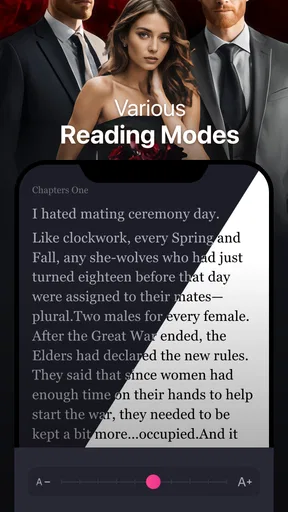
Font size, background colour, and night mode are useful adjustments, not just cosmetic extras. I would set them before settling in for a longer session: a comfortable text size can make phone reading less tiring, while a darker background can be gentler in a dim room. These settings matter most when reading in short bursts across different places, where the same screen can feel fine in daylight and uncomfortable at night.
Offline downloads and automatic bookmarking also support a practical routine, but they solve different problems. Downloading is for access when a connection is unavailable; bookmarking is for resuming without hunting for the stopping point. I would use both before a trip or a busy day, and avoid assuming that one automatically covers the other. That simple distinction can prevent the frustration of arriving somewhere without a signal and discovering that the story was never prepared for offline reading.
Compared with a general ebook reader, My Fiction puts more emphasis on ongoing fiction discovery, reader choices, and social discussion than on managing a personal shelf of books. Compared with reading a printed novel, it is easier to carry and can offer alternate story paths, but it also brings the usual phone distractions and a screen into the experience. I would choose it for flexible, episodic entertainment, and choose a dedicated ebook app or a physical book when my priority is a focused, uninterrupted read or a library of titles I already own.
Discovering the World of Stories
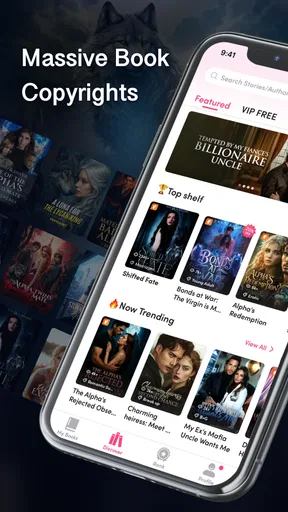
The first thing you notice when you open My Fiction: Stories & Novels is the sheer variety of genres available. Whether you’re into heart-pounding thrillers, swoon-worthy romances, or mind-bending sci-fi, there’s something here for everyone. The app’s interface is sleek and user-friendly, making it super easy to navigate through the vast collection.
Once you dive in, the app offers a personalized reading experience. It learns your preferences and suggests stories that are right up your alley. It’s like having a personal librarian who knows exactly what you love. I found myself exploring genres I hadn’t considered before, and surprise, I ended up loving them!
Interactive Storytelling at Its Best
One of the standout features of this app is its interactive storytelling. As you read, you get to make choices that influence the direction of the story. It’s like being the protagonist in your own adventure. The choices feel meaningful and add an exciting layer to the reading experience. I’ve spent countless hours trying different paths just to see how the story unfolds.
The app also allows you to interact with other readers. You can discuss plot twists, share theories, or just chat about your favorite characters. It’s a vibrant community of book lovers, and it’s always buzzing with activity.
Offline Reading and Other Perks
For those times when you’re without a Wi-Fi connection, My Fiction has your back. You can download stories to enjoy offline, which is perfect for long commutes or travel. No need to worry about losing your place either; the app automatically bookmarks where you left off.
Another neat feature is the customizable reading settings. You can adjust the font size, background color, and even switch to a night mode for reading in the dark. It’s all about making your reading experience as comfortable as possible.
Endless Updates and Fresh Content
The content is constantly updated with new stories and chapters, so there’s always something fresh to dive into. The writers on this platform are incredibly talented, and it’s exciting to see new voices emerging. I’ve discovered some fantastic authors who I now follow religiously.
The app also hosts events and challenges that encourage you to explore different stories and genres. It’s a fun way to step out of your comfort zone and maybe even win some cool rewards.
My Final Thoughts
If you’re a bookworm or simply someone who loves a good story, My Fiction: Stories & Novels is a must-try. It offers a unique blend of traditional reading and interactive media, creating a truly engaging experience. The app has transformed my downtime into an adventurous escape, and I’m sure it will do the same for you.
Ready to embark on your next literary journey? Grab your phone, download the app, and let the stories sweep you off your feet. Happy reading!
A sensible way to explore without overspending
I would make a small personal rule before starting: sample a story first, then decide whether I want to continue, and pause whenever an in-app purchase appears. The listed prices range widely, from 49 cents to $199.99 per item, so it is worth treating each prompt as a separate decision rather than assuming that one purchase unlocks everything. A free app can still include paid items, and the distinction matters most if you tend to read several chapters in one sitting.
For a first-time reader, the best next step is not to chase every genre or event at once. I would pick one story that sounds appealing, adjust the display for comfort, and read enough to see whether its pace suits a spare-moment routine. If it does, offline access and bookmarking make it easier to keep going. If the writing or decision format does not click, switching stories is a better test than forcing myself through a title just because recommendations surfaced it.
Who should give it a pass
I would skip this app if I need an extensive tool for organizing books I already own, want guaranteed access to specific mainstream titles, or dislike reading on a phone. It is also a poor fit for someone who wants every story to follow one fixed path, since interactive decisions are part of its appeal. Parents should take the Mature 17+ rating seriously and choose age-appropriate reading options rather than treating a broad fiction catalogue as automatically suitable for children.
For readers who enjoy serialized fiction, varied genres, and the occasional chance to steer a plot, this is a more inviting starting point than a blank ebook shelf. For people who value a quiet, uninterrupted novel above discovery and interaction, a conventional ebook reader or printed book will probably feel more natural. My recommendation is to approach it as a flexible source of fiction for little pockets of time, keep spending decisions deliberate, and let the first story—not the size of the catalogue—decide whether it earns a place in your routine.
Pros
- Extensive library of genres to explore.
- Customizable reading settings for comfort.
- Offline reading available for convenience.
- Interactive stories with multiple endings.
- Frequent updates with new content.
Cons
- Requires subscription for full access.
- Frequent ads in free version can be distracting.
- Limited free chapters per day.
- Some stories have inconsistent quality.
- Occasional app crashes reported.
FAQs for My Fiction: Stories & Novels
What types of stories are available in My Fiction: Stories & Novels?
My Fiction: Stories & Novels offers a diverse range of genres to suit every reader's taste. From thrilling mysteries and passionate romances to epic fantasies and insightful dramas, there’s something for everyone. The app frequently updates its library with new stories, ensuring fresh content for avid readers.
Is My Fiction: Stories & Novels free to use?
The app is free to download and offers a selection of stories at no cost. However, to access premium content or unlock additional features, users may need to make in-app purchases or subscribe to a membership plan. This allows for a seamless reading experience without interruptions.
Can I read stories offline in My Fiction: Stories & Novels?
Yes, My Fiction: Stories & Novels allows users to download their favorite stories for offline reading. This feature is perfect for those who want to enjoy their books on the go without needing an active internet connection, making it convenient for travel or places with limited connectivity.
Does My Fiction: Stories & Novels offer customization options for reading?
The app offers various customization options to enhance the reading experience. Users can adjust font size and style, switch between day and night modes, and even customize background colors. These features ensure that every reader can tailor their experience to their personal preferences.
How does My Fiction: Stories & Novels handle user data and privacy?
My Fiction: Stories & Novels takes user privacy seriously. The app collects minimal data necessary for account creation and personalized recommendations. All data is encrypted and stored securely, and users can review the app’s privacy policy for detailed information on data handling and user rights.


